
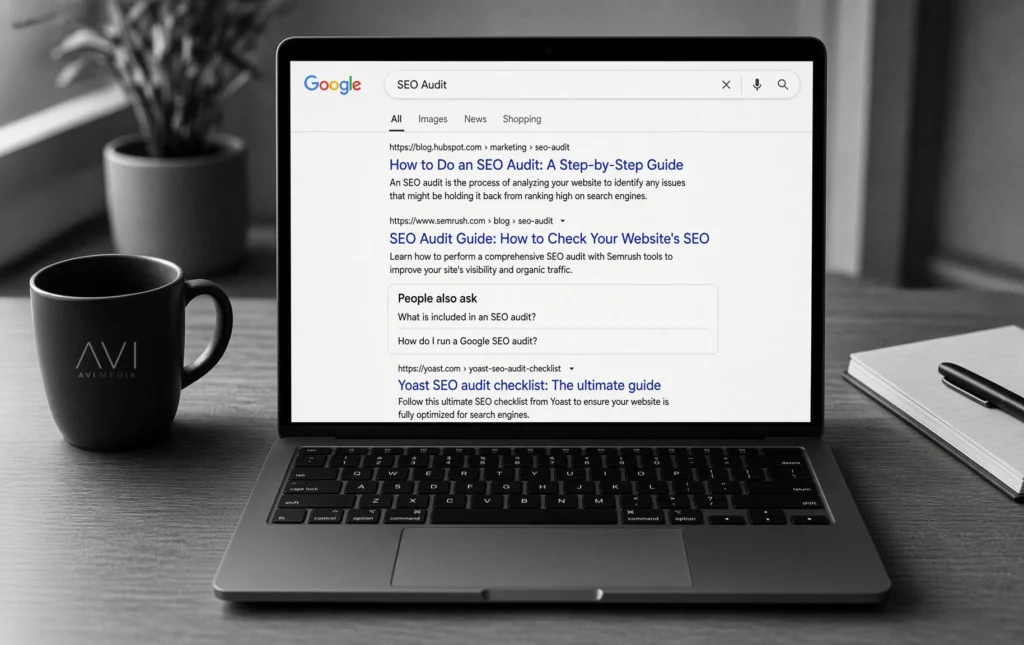
A good website should do two jobs at once. People should be able to use it. Google should be able to find it.
That’s what a technical SEO audit is for. SEO means search engine optimization: the work that helps a website show up in Google.
A technical SEO audit looks under the hood. It checks whether search engines can reach your pages, understand them, and load them quickly. Think of it like a mechanic’s inspection before you take the car on the road. The paint can look great, but the doors still have to open, the dashboard still has to make sense, and the engine still has to turn over.

What a Technical SEO Audit Looks At
A technical SEO audit evaluates a website’s technical architecture to ensure search engines can crawl, index, and rank its pages efficiently. It identifies issues like slow load times, broken links, improper redirects, and poor mobile usability, directly improving search visibility and user experience.
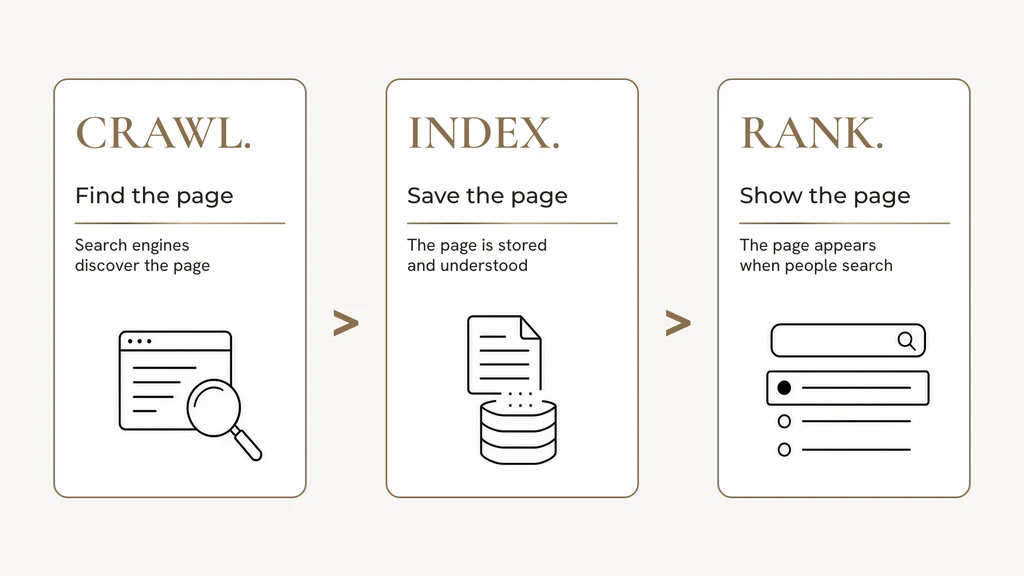
Search engines work in a simple order (crawling, indexing and ranking):
- They crawl a site. That means they follow links and read pages.
- They index a page. That means they save it in their library.
- They rank it. That means they decide when to show it.
If step 1 or 2 is weak, step 3 has less to work with.
Why page one still matters
It matters because most people never go past the first page of Google. Ahrefs found that 96.98% of desktop clicks and 97.56% of mobile clicks happen in the top 10 results [1].
Backlinko found the first result gets a 27.6% click rate, and the top three results get 54.4% of clicks [2].
A technical SEO audit helps your best pages compete for that space.
A strong audit checks five things:
- Can Google reach the pages that matter?
- Can Google access the right pages?
- Does the site point to one clear web address for each page?
- Does the page load quickly and feel steady on a phone?
- Is the page labeled clearly enough for Google and AI tools to understand it?
Get those right, and your ads, design, and content have a stronger place to land.
First, Make the Site Easy to Find
Google cannot show a page it cannot read.
A technical SEO services audit usually starts with:
- robots.txt: This is a small file that tells Google which parts of the site it can look at. It should guide search engines, not hide your service pages.
- Page status: Important pages should load normally. If a page sends people through too many detours, Google wastes time.
- XML sitemap: This is a list of the pages you want Google to know about. Keep it clean. Only include live pages you want found.
- Internal links: These are links from one page on your site to another. Make sure every important page is easy to reach from pages people already use.
Help Google Pick the Pages You Want Shown
In Google Search Console, in the Page indexing report, you may see notes like “Discovered — currently not indexed” or “Crawled — currently not indexed.”
In plain English:
- Google knows the page exists.
- Google hasn’t fully added it to the library yet, or it hasn’t chosen it as the main version.
You can help Google choose your pages by:
- Linking to them from other strong pages
- Keeping one main web address for each page (the canonical URL)
- Making sure the sitemap matches that main address
- Giving each page a clear job, instead of five pages saying the same thing
Asking Google to recrawl a page works best after those basics are in place.
Make the Page Feel Fast
Google also looks at how the page feels to use. Those scores are called Core Web Vitals.
The current targets are:
- LCP: The main content shows up in 2.5 seconds or less.
- INP: The page reacts to a tap or click in under 200 milliseconds.
- CLS: The layout stays steady, with a score under 0.1.
Google recommends these scores for Search and for a better visitor experience [3].
They still set sites apart. In Chrome’s August 2026 data, 55.6% of 18.3 million websites passed all three scores. 68.1% passed the loading score [4].
An earlier industry report found 48% passed on phones and 56% passed on computers, based on 2025 CrUX data [5].
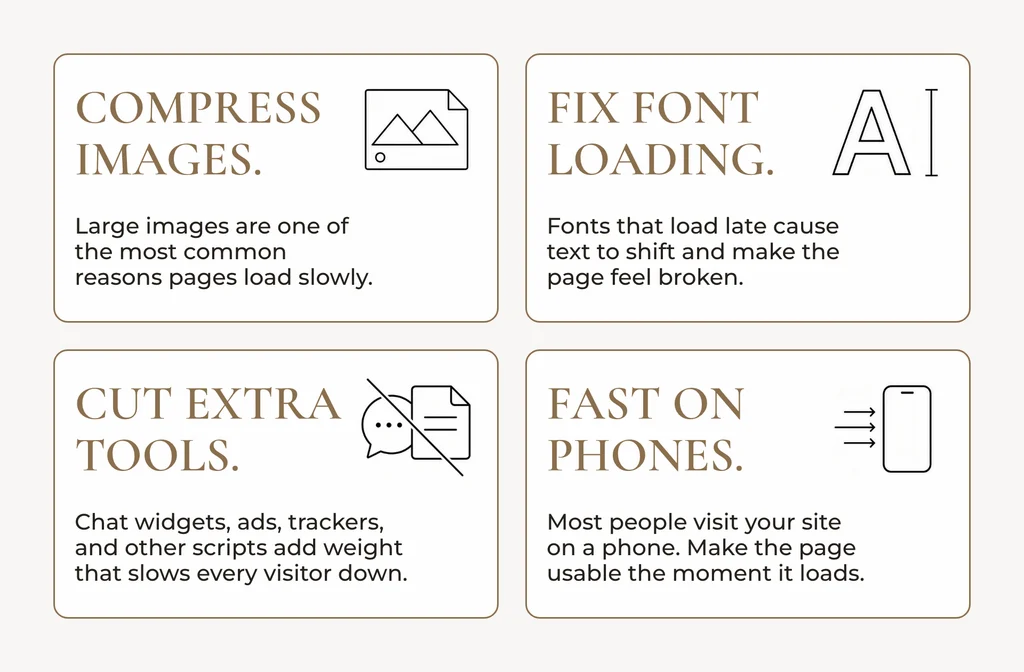
The usual upgrades are simple to understand:
- Make big images smaller
- Load fonts without shoving the text around
- Be careful with extra scripts for chat tools, ads, and trackers
- Keep the page usable quickly on a phone
Speed helps SEO. It also helps trust. On a healthcare or service site, people decide fast whether to stay.
Website Migration SEO: What to Check Before Launch
A website migration can improve a site while keeping the search value the old site earned.
Before launch:
- Point old page addresses to the matching new ones (301 redirects)
- Make sure each page has one preferred address
- Update the sitemap
- Keep key service pages easy to find in the menu
- Keep tracking working so you can see what improved
Do this during the project, not after the new site is already live.
Help Google and AI Understand the Page
Search is no longer only a list of blue links. AI tools also read websites and summarize them.
Clear structure helps:
- One main topic per page
- Headings that sound like how people talk
- Extra labels, called schema, that tell Google “this is a service,” “this is an article,” or “this is a location” (which also supports generative-engine-optimization)
- Text that is visible without waiting on a pile of code
Schema works best when it matches what people can actually see on the page.
What You Should Walk Away With
A useful technical SEO audit is not a giant checklist. It is a short plan:
- What to improve
- Why it matters
- What to do first
- Who does the work
- How you will measure progress
That is the difference between a report and technical SEO services that change how the site performs.
At AVI Media, this is the foundation under the marketing. Ads, analytics and reporting, and content work better when the website is ready to be found.
If you want the bigger picture first, start with what SEO is and how it improves a website.
Technical SEO Audit Checklist
- In Google Search Console, check which important pages Google has indexed.
- Check 5 key pages and confirm Google can read them.
- Check your mobile speed scores.
- Open your sitemap and make sure it lists the pages you actually want found.
- Search your main services and see which page Google shows.
Those five steps give you a simple technical SEO checklist baseline. A full technical SEO audit turns that baseline into a plan.
FAQs
What does a technical SEO audit include?
It reviews the behind-the-scenes parts of a website that help Google find pages, save them, and show them. It covers access, speed, page addresses, and clear labeling.
How is a technical SEO audit different from regular SEO?
Regular SEO includes content, trust, and technical work. A technical SEO audit focuses on the foundation. For a simple overview, read what SEO is.
How long does it take?
The review often takes one to two weeks. The fixes can take longer, which is why the order of work matters.
Do Core Web Vitals still matter?
Yes. They measure how quickly a page loads, how fast it responds, and how steady it feels. They help both Google and visitors.
Will an audit raise rankings by itself?
It helps pages become easier to find and easier to use. Clear content and strong internal links still matter.
When should we do one?
Before a website rebuild, after a platform change, or before a larger SEO project.
How much does a technical SEO audit cost?
Pricing depends on the size and complexity of the website, but standard audits typically range from targeted project assessments to comprehensive technical packages for enterprise sites.
What does Crawled, currently not indexed mean?
This status means Google visited the page but decided not to index it yet. Improving internal linking, content quality, and canonical tags helps Google recognize the page’s value.
What are good Core Web Vitals scores?
Good scores are an LCP of 2.5 seconds or less, an INP under 200 milliseconds, and a CLS score below 0.1.
Does AVI Media only send a report?
No, we provide a plan you can act on: access, speed, page addresses, rebuilds, and clear page labels.
Ready to Strengthen the Foundation?
AVI Media can run a technical SEO audit and help put the upgrades in place, so your marketing has a website built to show up in search.
Book a consultation with AVI Media
Sources
- [1] Ahrefs, almost all clicks happen in the top 10 results (August 2025 data)
- [2] Backlinko, Google CTR stats (updated April 16, 2025)
- [3] Google Search Central, Core Web Vitals thresholds
- [4] Chrome UX Report, August 2026 dataset (published September 8, 2026)
- [5] HTTP Archive Web Almanac 2025, Performance chapter (July 2025 CrUX data)